 CaptureXRecCaptureXRec
Reads what it captures
On-device OCR reads the words inside a captured image the moment you take it, so a build number, an error string, or a line of config becomes text you can search for later — nothing is sent anywhere to do it.
Drop numbered markers on a screenshot to explain a sequence, then reorder one or insert a new one in the middle — the rest of the numbers shift on their own, so a nine-step walkthrough never needs renumbering by hand.
Automatic blurring of passwords and tokens covers what shouldn't be shared the instant a screenshot is taken — a strong best-effort safeguard, not a guarantee, so a glance before sharing is still worth it.
Smart Rule is an admin-only mode for managed machines: an administrator turns it on, sets a retention window, and enforced auto-blur applies to everything it records. What it actually produces is a still capture — a single shot or a burst — with forced auto-blur burned in, or a video clip, which is the labelled exception stored un-blurred; everything lands in the encrypted, append-only vault and is kept only for the retention window the admin configured.
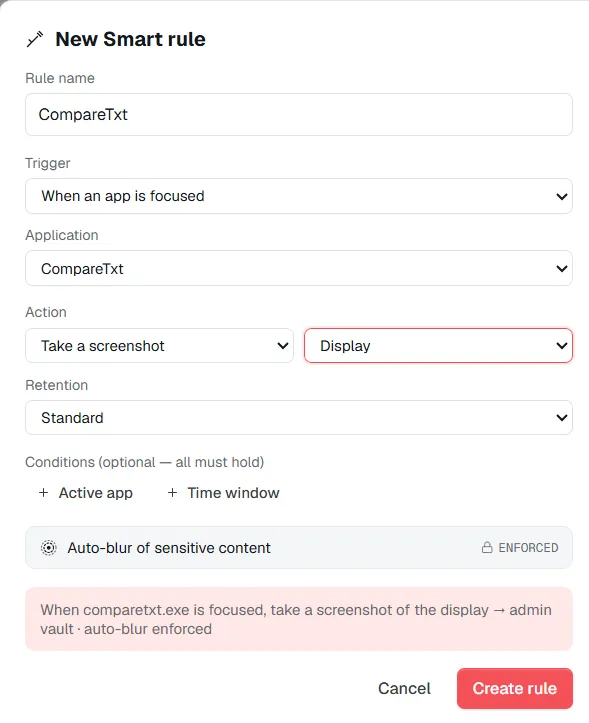
Smart Rule — an admin-only mode for managed machines: enforced auto-blur on stills, a set retention window, and video clips stored un-blurred and labelled as the exception.
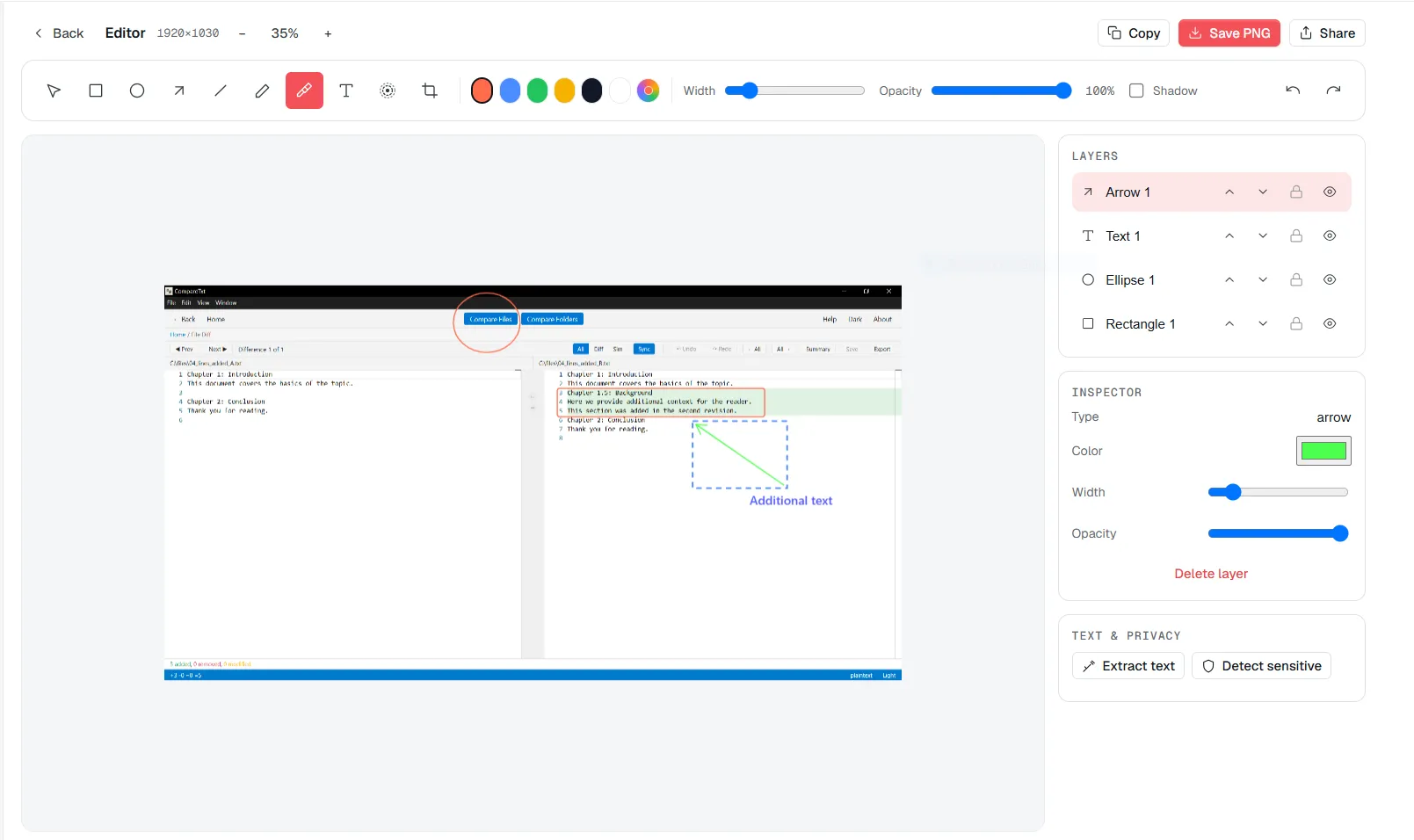
The editor pulls text out of a screenshot on-device and keeps numbered callouts in order as you rearrange them.
Take a screenshot or a scrolling capture the same way you always would, from the always-on-top widget.
On-device OCR reads whatever text was visible in the image the moment it's captured, with no server round-trip involved.
Add numbered callouts to point at what matters — insert or reorder one and the rest renumber automatically.
Search the library later using the exact text OCR pulled out of the image, not just a filename or a date.
Supported on
Windows 10 (1809+) · Windows 11 · x64 · ARM64
It means the app reads and organizes what it captures: on-device OCR makes the text inside a screenshot searchable, and callouts renumber themselves as you place them — none of it depends on a server.
No — OCR runs entirely on the device that took the screenshot, and the image never leaves the machine to be read.
Treat it as a strong best-effort safeguard, not a guarantee — automatic blurring of passwords and tokens catches most of what it's built to catch, but it's still worth a glance before sharing anything sensitive.
Smart Rule is an admin-only feature for managed Windows machines — an administrator enables it, sets a retention window, and enforced auto-blur applies to whatever it records.
No — a rule fires on a trigger you define, forced auto-blur applies to every still it captures, and the output goes to the vault under a retention class instead of the normal library.
$12.49, once.
Buy on Microsoft Store — $12.49