 CaptureXRecCaptureXRec
Camera, on your terms
Enabling the camera doesn't pull the microphone on with it, and enabling the microphone doesn't pull the camera on either — each control on the setup screen stands alone.
The facecam feed and the display capture arrive as a single video, leaving no second clip to line up by hand afterward.
The floating control you click to begin and end a take doesn't appear in what gets produced, so your on-screen clicks never show up beside your face.
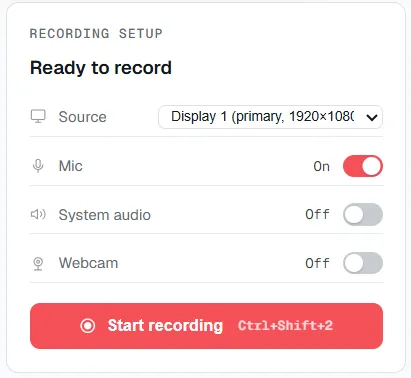
The webcam is its own toggle in the recording panel — on or off, independent of the microphone.
Point the recorder at a window, a portion of the display, or everything on it.
Bring the camera into the frame, then separately flip on your voice if you plan to talk through the footage.
Start the take, and the camera feed lands in the same file as the display and any narration you switched on.
Supported on
Windows 10 (1809+) · Windows 11 · x64 · ARM64
Yes — both are captured into the same recording, with the webcam as its own toggle alongside the screen source.
Yes — the webcam and the microphone are independent switches in the recording panel; turning one on doesn't turn on the other.
No — the floating widget you use to start and stop the recording excludes itself from every capture and recording it makes.
No — they're written into the same MP4, not a separate camera clip to sync up afterward.
$12.49, once.
Buy on Microsoft Store — $12.49